
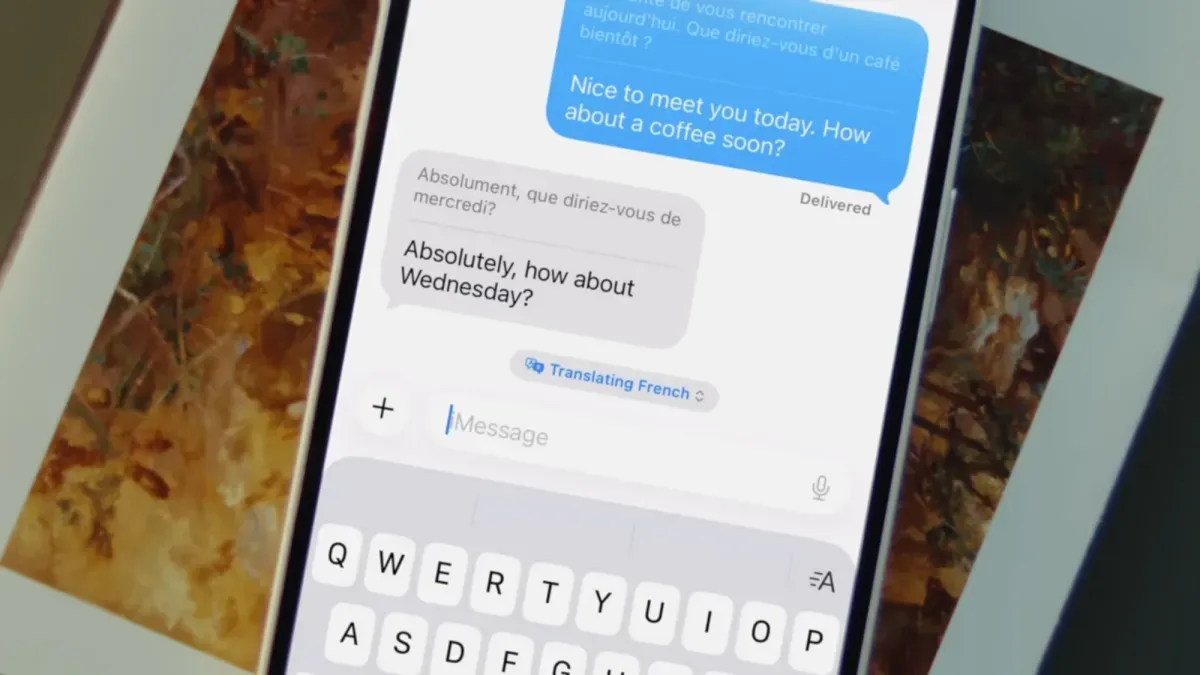
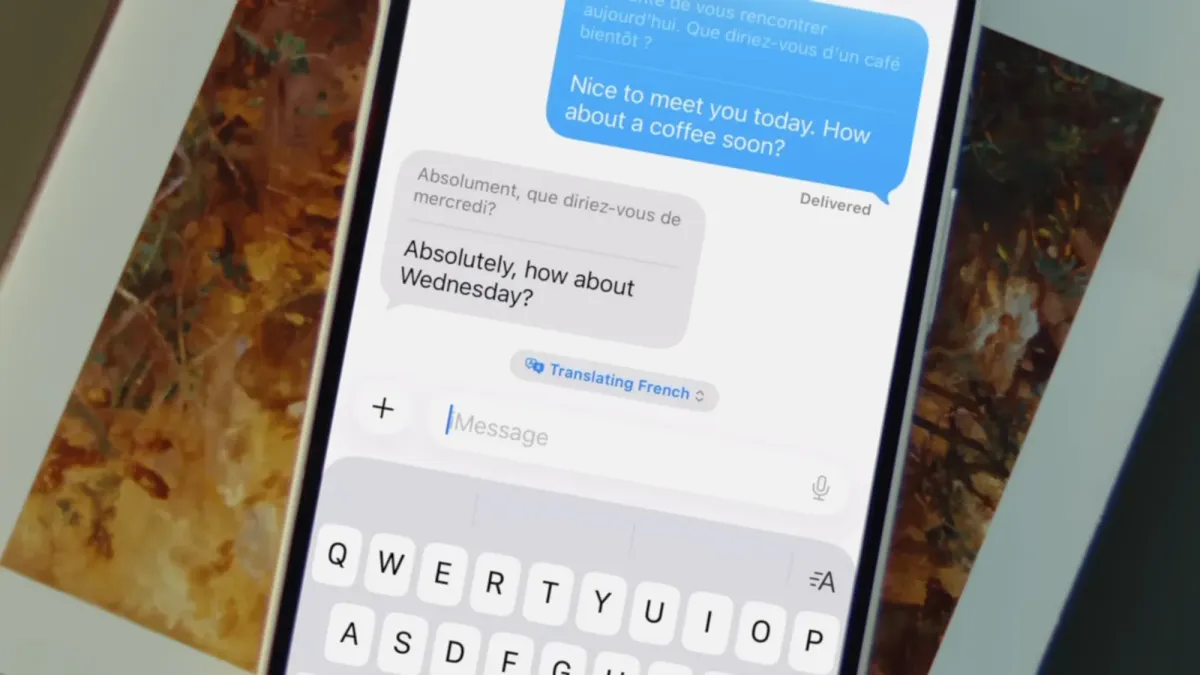
You can find a helpful translation tool right inside your iPhone's Messages app. This feature offers real-time translations for many languages.
To use this, your iPhone needs Apple Intelligence. This AI is built into the operating system of the iPhone 15 Pro and iPhone 15 Pro Max from 2024, and all newer iPhones. It's also on some iPads and Apple Watch models. Check your iOS Settings under Apple Intelligence & Siri to make sure it's on.
How to Turn on Translations in Messages
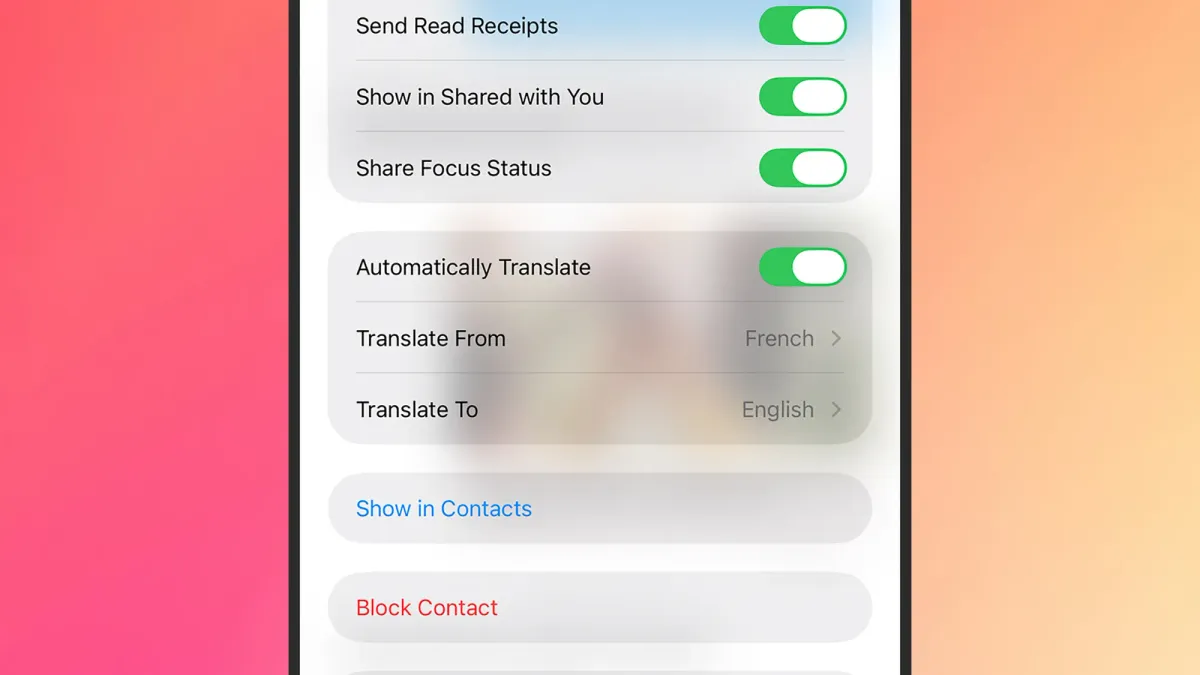
First, open the conversation you want to translate in the Messages app. Tap the person's name at the top of the screen. Then, turn on the "Automatically Translate" switch. You will then choose a language.
We're a new kind of news feed.
Regular news is designed to drain you. We're a non-profit built to restore you. Every story we publish is scored for impact, progress, and hope.
Start Your News DetoxThere are 20 languages available. You can change the languages you are translating from and to at any time. These options are below the "Automatically Translate" switch once it's on.
From then on, every English message you send will show the foreign translation next to it. Every message you get in the foreign language will also have an English translation. A small menu above the text box lets you switch languages or stop translating.
This feature works with other iPhone users, even if they don't have Apple Intelligence. It also works for texts from Android phones, as Google Messages has a similar tool.
This tool makes it easy to understand foreign words and phrases instantly. It won't teach you a whole new language, but it helps you stay familiar with them.
Other Translation Tools on Your iPhone
If you have Apple Intelligence, your iPhone has other translation options. The built-in Translate app can convert typed text and spoken audio between languages.
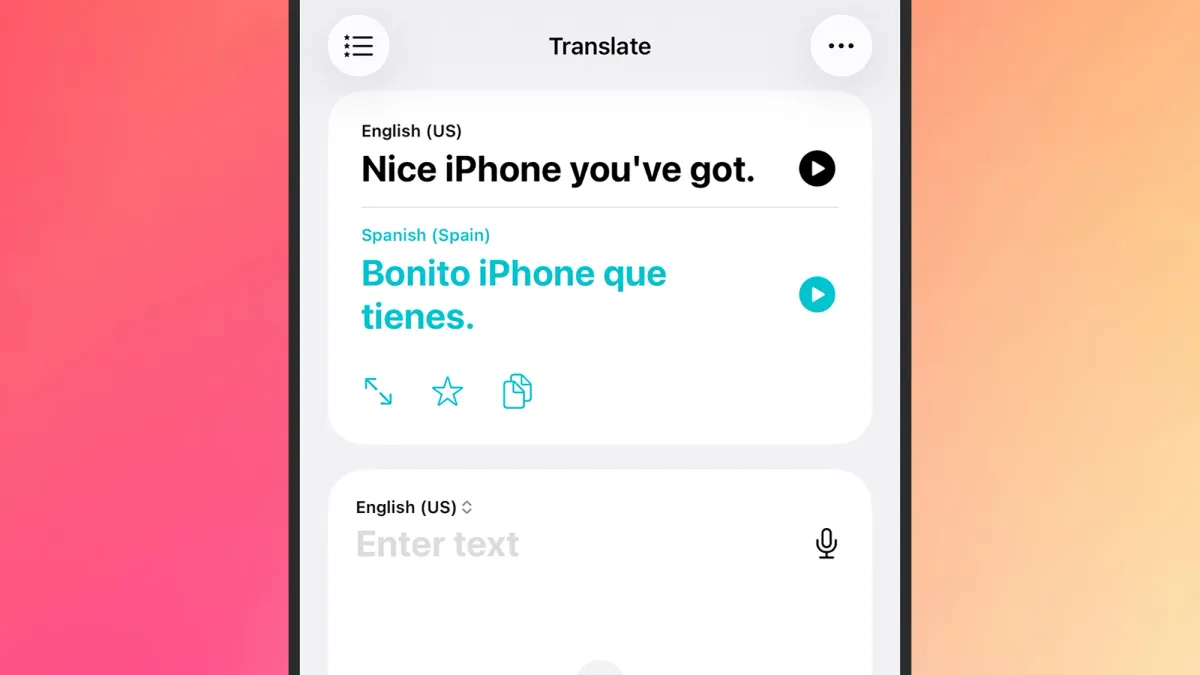
The Translate app has a Camera button. Tap it to point your iPhone camera at foreign text, like a sign or menu, and get a translation. The Conversation tab lets two people speak in different languages, with the iPhone translating.
If you have AirPods Pro 2, AirPods Pro 3, or AirPods 4 with active noise canceling, there's a Live button. Tap it to hear translations directly in your ears as others speak a foreign language. The dialogue also appears on your phone.
FaceTime also includes translation. During a call, tap the screen for controls, then tap the three dots and choose Live Captions. A similar feature, Live Translation, is available for regular phone calls. Access it by tapping the three dots during a call.
All these translation features process language on your device. Nothing is sent to Apple's servers. To manage downloaded languages, go to iOS Settings, then Apps > Translate > Languages.